

I was reviewing the Provision Quick Start: Install, Configure, and Test article for a client engagement when I noticed an interesting little tidbit:
Currently, checking if bundle content has downloaded is a manual process. (Sensors are planned to improve this process). The bundle content is downloaded into the TC\Tools\Provision\Cache folder.
I was shocked. Appalled even. Manual directory sleuthing in my Tanium? In the year of our Lord, 2025?
This would not stand.
The Script
What This Script Does
This script inspects the Tanium Provision Endpoint cache and evaluates the state of OS bundle files by comparing:
- What should exist (from
manifest.json) - What actually exists in the cache directory
- Whether each file is:
- Missing
- Still downloading
- Fully cached
The result is a clear, deterministic status per bundle file, suitable for:
- Troubleshooting stalled Provision workflows
- Feeding into Tanium Sensors
- Validating cache health before imaging
- Correlating slow deployments with actual download state
Why This Matters in the Real World
- Cache corruption or partial downloads can silently break imaging
- Imaging has many moving parts and the root cause of these incidents is rarely obvious
- Engineers have to guess about the availability of OS bundle content at scale
This script (And subsequent sensor) replaces guesswork with observable state.
How It Works (High-Level)
The script follows a straightforward but deliberate flow:
1. Validate Inputs
It verifies:
- The Provision cache directory exists
- The
manifest.jsonfile exists and can be parsed
If either are missing, it exits. Fail fast, fail loud…the Max Power way.

2. Load the Manifest
$manifest = Get-Content -Path $ManifestPath -Raw | ConvertFrom-JsonThe Tanium Provision manifest.json file defines:
- OS bundles
- Files within each bundle
- Expected SHA256 values for each file
- Expected file sizes for each file
This becomes the source of truth.
3. Inventory Cached Files
The script enumerates all files in the cache directory (excluding the manifest itself) and records two simple properties:
- File name
- File size
This gives us the actual cache state of each file.
4. Compare Manifest vs Cache
For each file defined in each bundle:
- Missing
- File does not exist in cache at all
- Downloading
- File exists but size does not match expected size
- Cached
- File exists and size matches exactly
5. Structured Output
Each result is written in a delimiter-friendly format:
COMPUTERNAME~BundleName~FileName~SHA256~ExpectedSize~CurrentSize~StatusThis makes the output ideal for a sensor implementation.
The Sensor
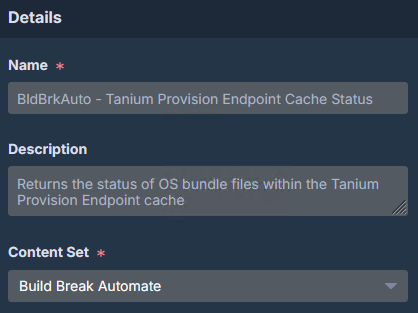
Details
- Name: BldBrkAuto – Tanium Provision Endpoint Cache Status
- Description: Returns the status of OS bundle files within the Tanium Provision Endpoint cache
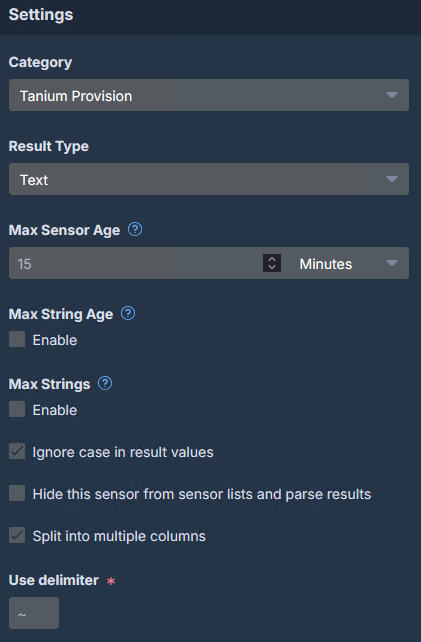
Settings
- Category: Tanium Provision
- Result Type: Text
- Split into multiple columns: Checked
- Use Delimiter: ~
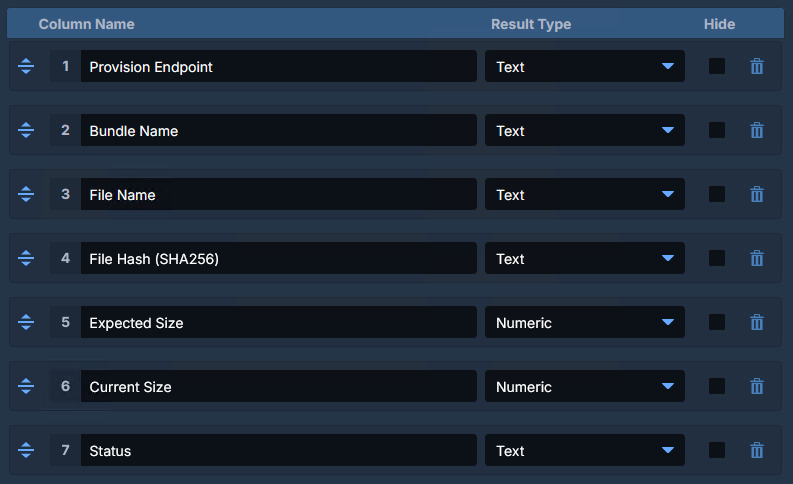
Column Name
- Provision Endpoint: Text
- Bundle Name: Text
- File Name: Text
- File Hash (SHA256): Text
- Expected Size: Numeric
- Current Size: Numeric
- Status: Text
Example Question
Get BldBrkAuto – Tanium Provision Endpoint Cache Status from all entities with File Exists[C:\Program Files (x86)\Tanium\Tanium Client\Tools\Provision\cache\manifest.json] starts with “File Exists”
Example Output
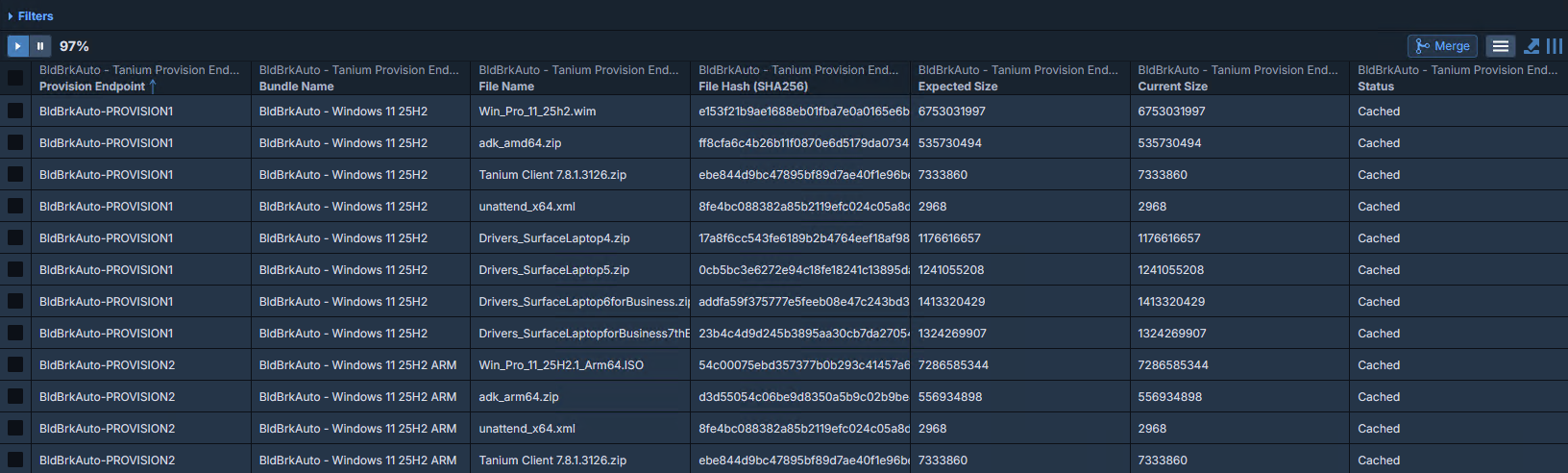
At a glance, you know exactly what’s happening.
Let me know what you think 🙂
Brent M. Henderson
Build Break Automate LLC
https://buildbreakautomate.com
https://www.linkedin.com/in/brentmhenderson/
Disclaimer: Any code made available on this site is free to use at your own discretion but it is provided without any explicit or implied guarantees of support, reliability, or functionality. I accept no responsibility in the event that the code, in its original form or any derivative versions thereafter, malfunctions or causes problems . Anything from this site that you decide to work with should be tested thoroughly in development environments in collaboration with your Technical Account Manager (TAM) until such time that you, the responsible party, decides that you are satisfied with its outcomes.