
FastTrack 1.0 • Available Soon
One Platform for Every Tanium Tenant
FastTrack is built for MSPs and enterprises running Tanium in more than one environment. Ask every tenant the same question, move working content between them, see what changed, and hold software packages to your standards, from one place instead of one console at a time.
Every Tenant Is Its Own Console
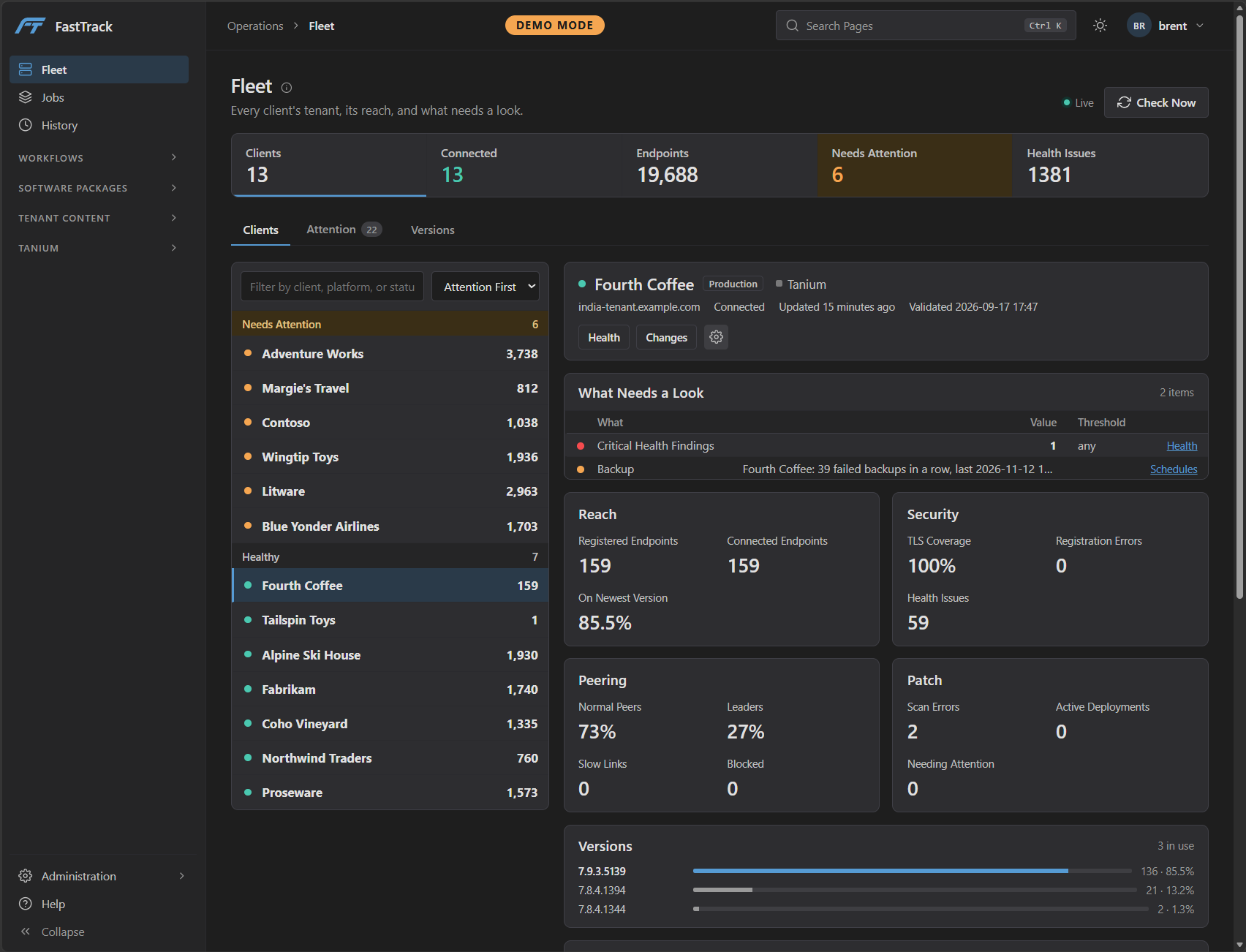
Running more than one Tanium tenant means asking the same question in each console, rebuilding the same policies and sensors by hand, packaging the same software again, and piecing together who changed what after the fact. FastTrack puts that work in one place and runs it against every tenant you manage.
Questions
Ask Once. Every Tenant Answers.
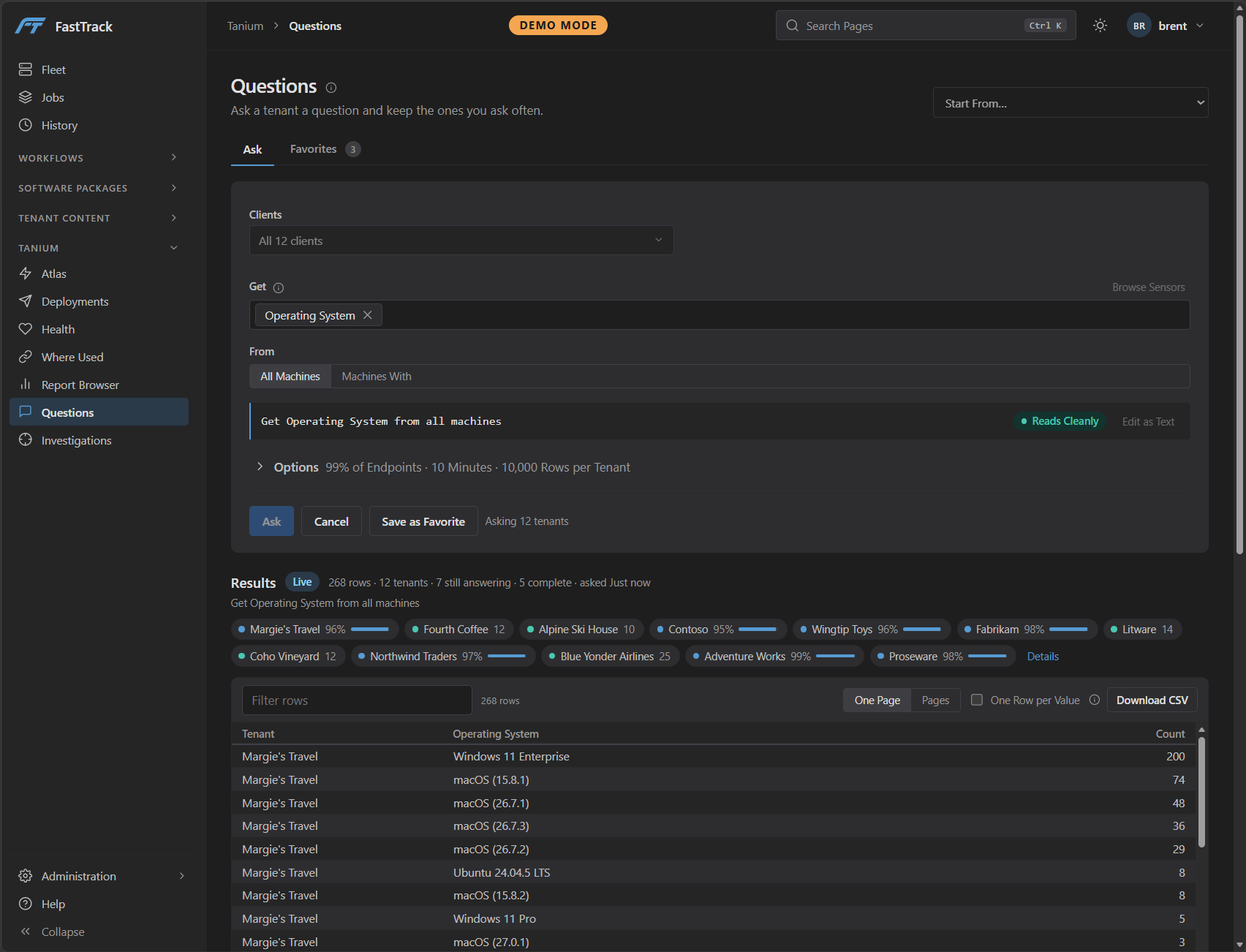
Pick a sensor, choose the clients, and ask. Answers stream back as each tenant replies, every row tagged with the tenant it came from, so you can filter and compare while the slower environments are still reporting.
- Every client at once, or only the ones you pick
- Live progress for each tenant while answers arrive
- Filter, collapse to one row per value, download as CSV
- Favorites for the questions you ask every week
Capture
Capture What Already Works
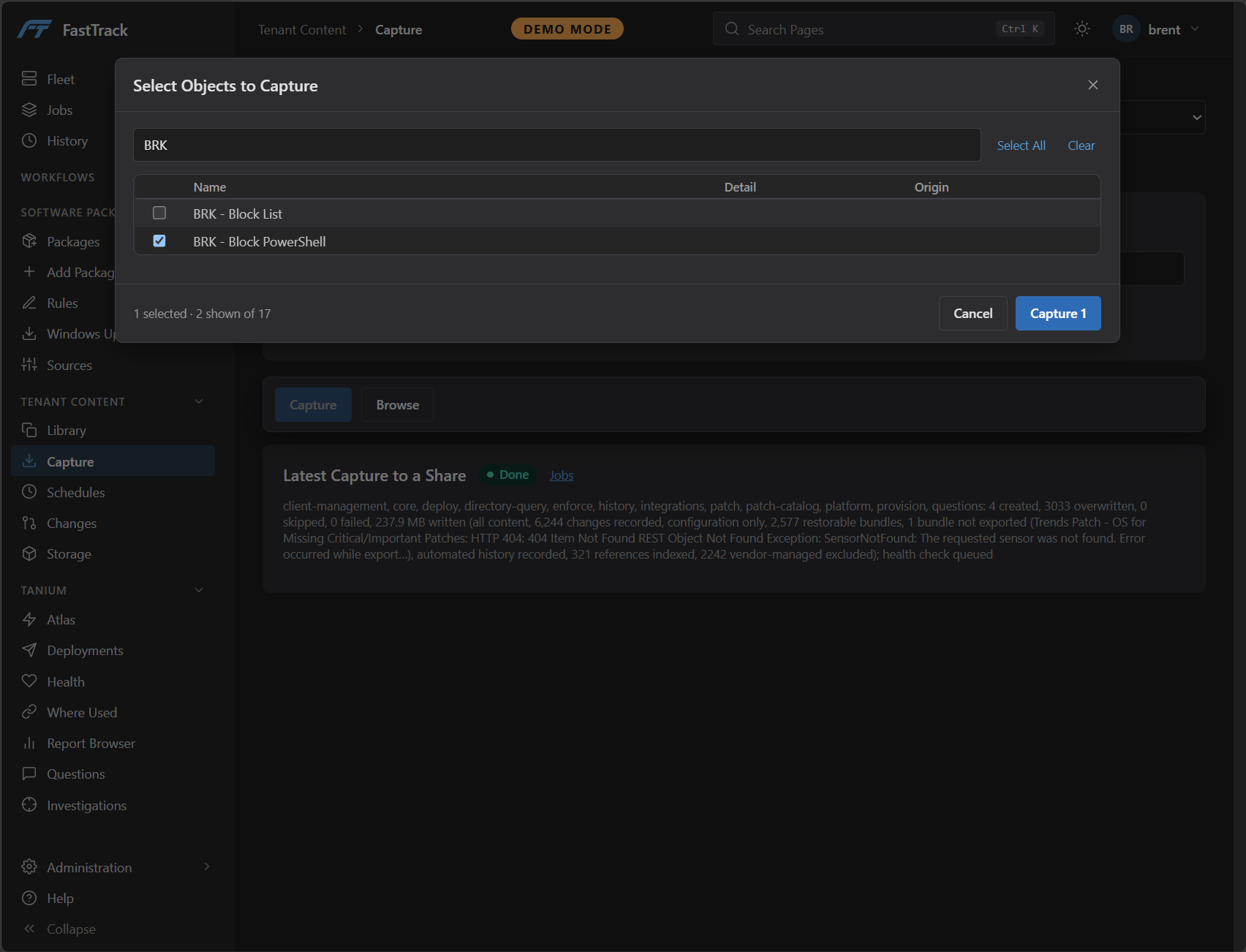
Choose an object type, find the objects you want, and capture them from a tenant into the Library. Every capture runs as a job, so it is recorded, visible, and easy to repeat.
- Core content plus Comply, Deploy, Discover, Enforce, Patch, Performance and Provision objects
- Search and select exactly the objects you need
- Capture to the Library for reuse, or to a share for safekeeping
Library
Replay It Anywhere, With Production Guarded
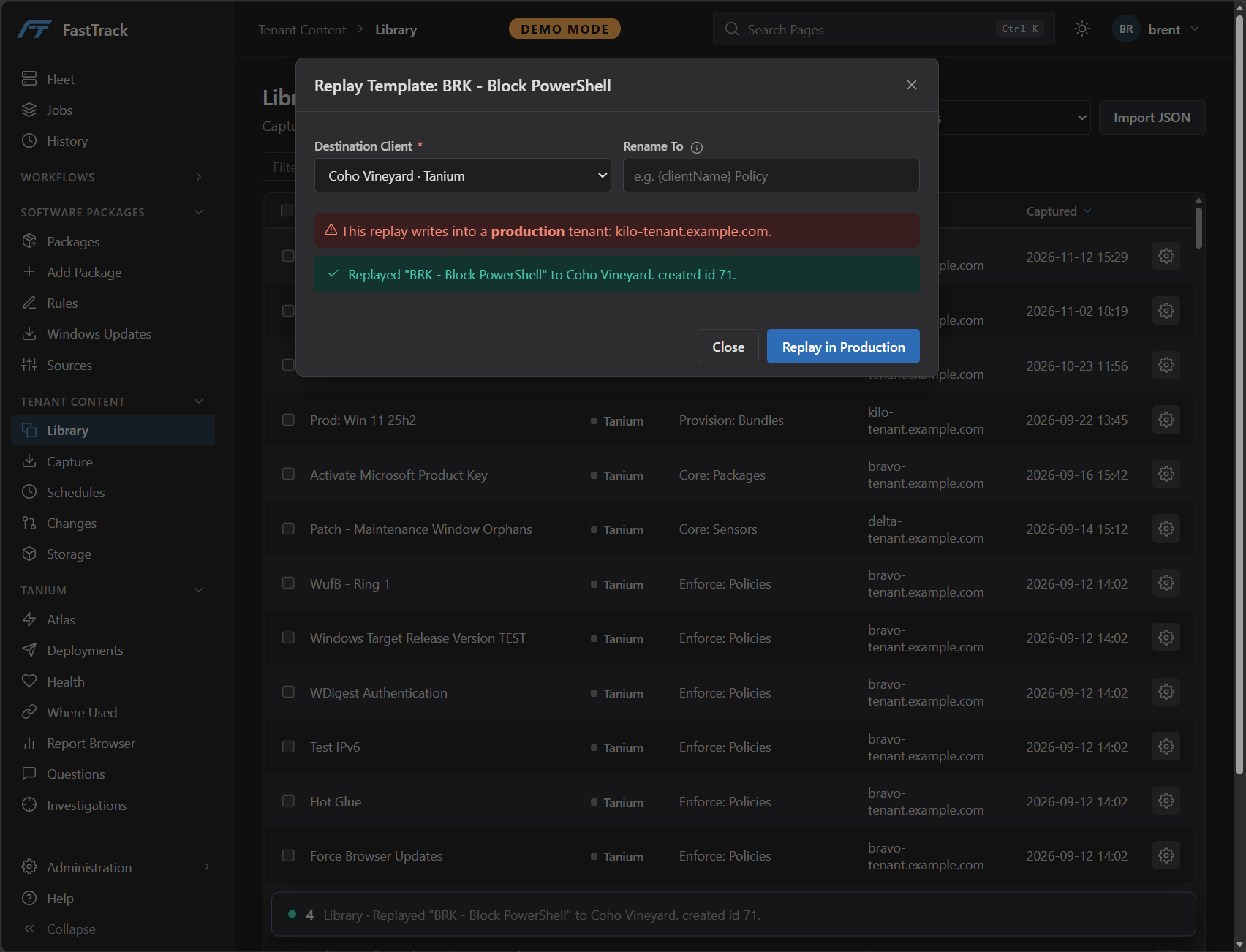
Every capture becomes a template. Replay it into another client and rename it on the way in. When the destination is a production tenant, FastTrack says so before anything is written, and the button says so too.
- Templates from every source tenant in one list
- Rename on replay with tokens such as the client’s name
- Writes to production need an explicit Replay in Production
- Templates export and import as JSON
Changes
Know What Changed, and Who Changed It
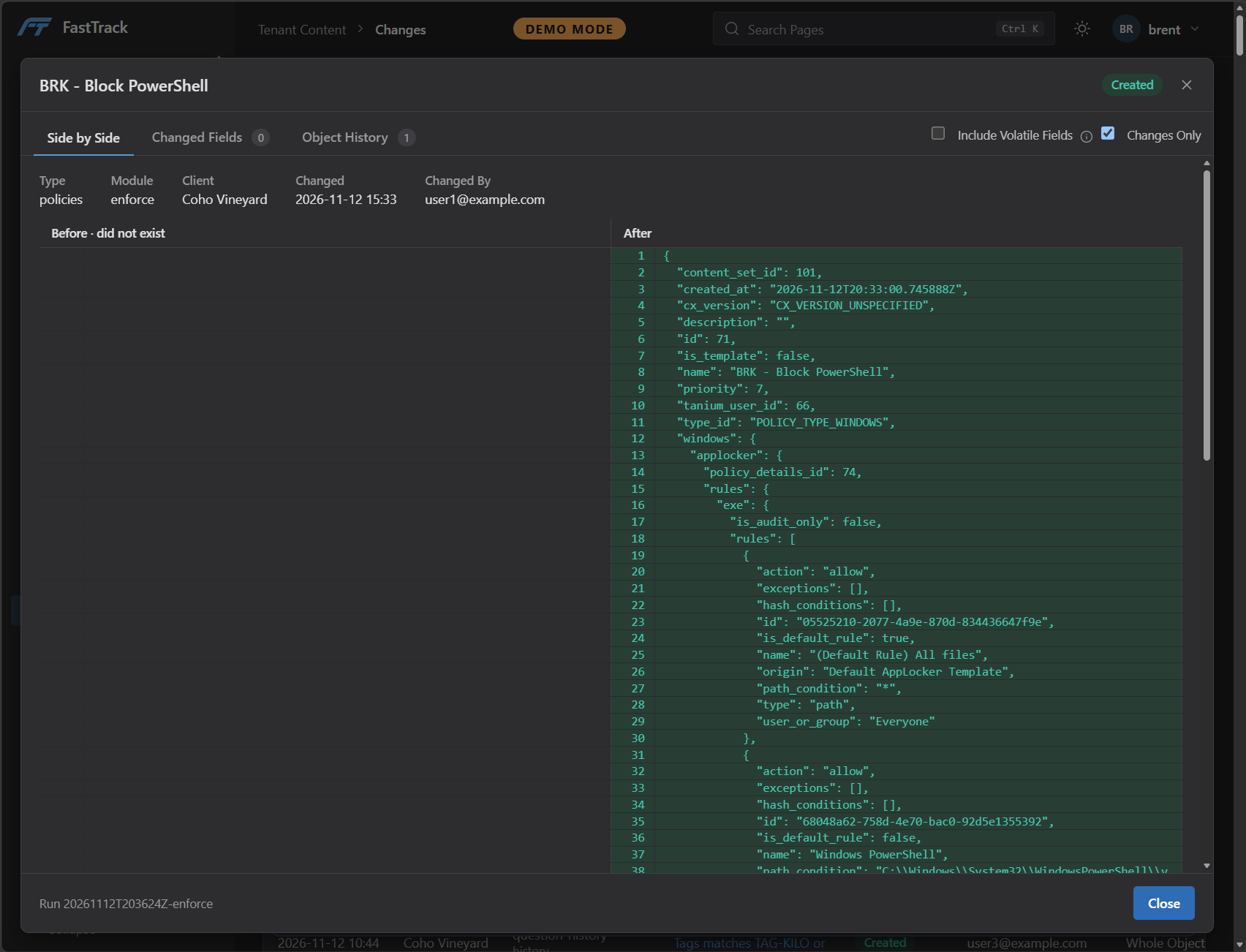
FastTrack captures each tenant on a schedule and records every difference between captures. Open any change to see the object before and after, the fields that moved, and the object’s history, including changes the console does not keep in a useful form.
- Created, modified and deleted objects across modules
- Side by side before and after, with noisy fields hidden
- Filter by client, object, type or the person who made the change
Software Packages
Package Once, Keep Your Standards
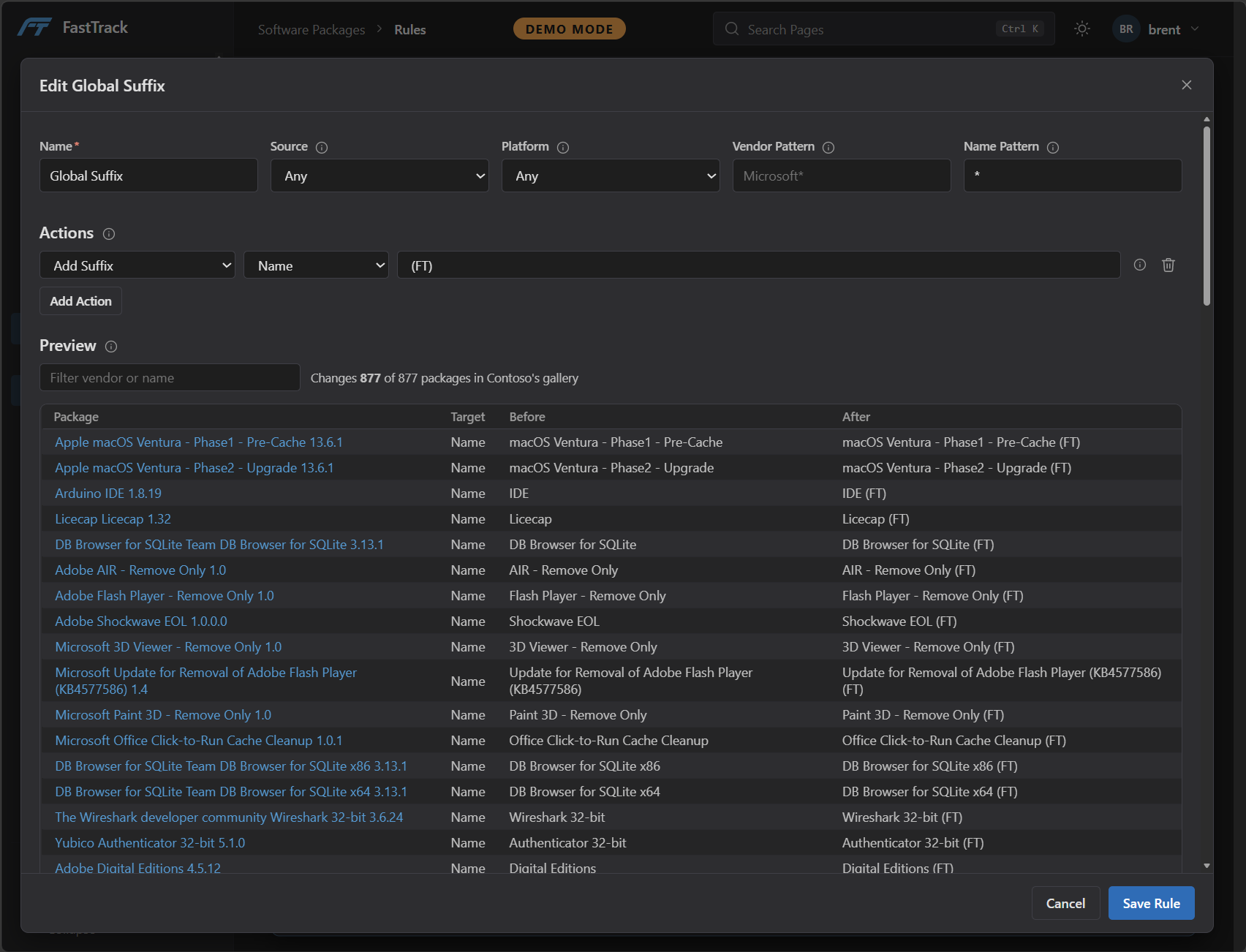
Source software from the Tanium gallery, WinGet, the Microsoft Store or your own installer. Rules apply your standards on the way into Deploy, and each rule previews exactly which packages it changes before you save it.
- Rules for naming, command-line arguments, PSADT wrapping and more, applied in order
- Match by source, platform, vendor or name
- Packages kept current for each client, with their sync state
Windows Updates
Cumulative Updates, Validated Before They Ship
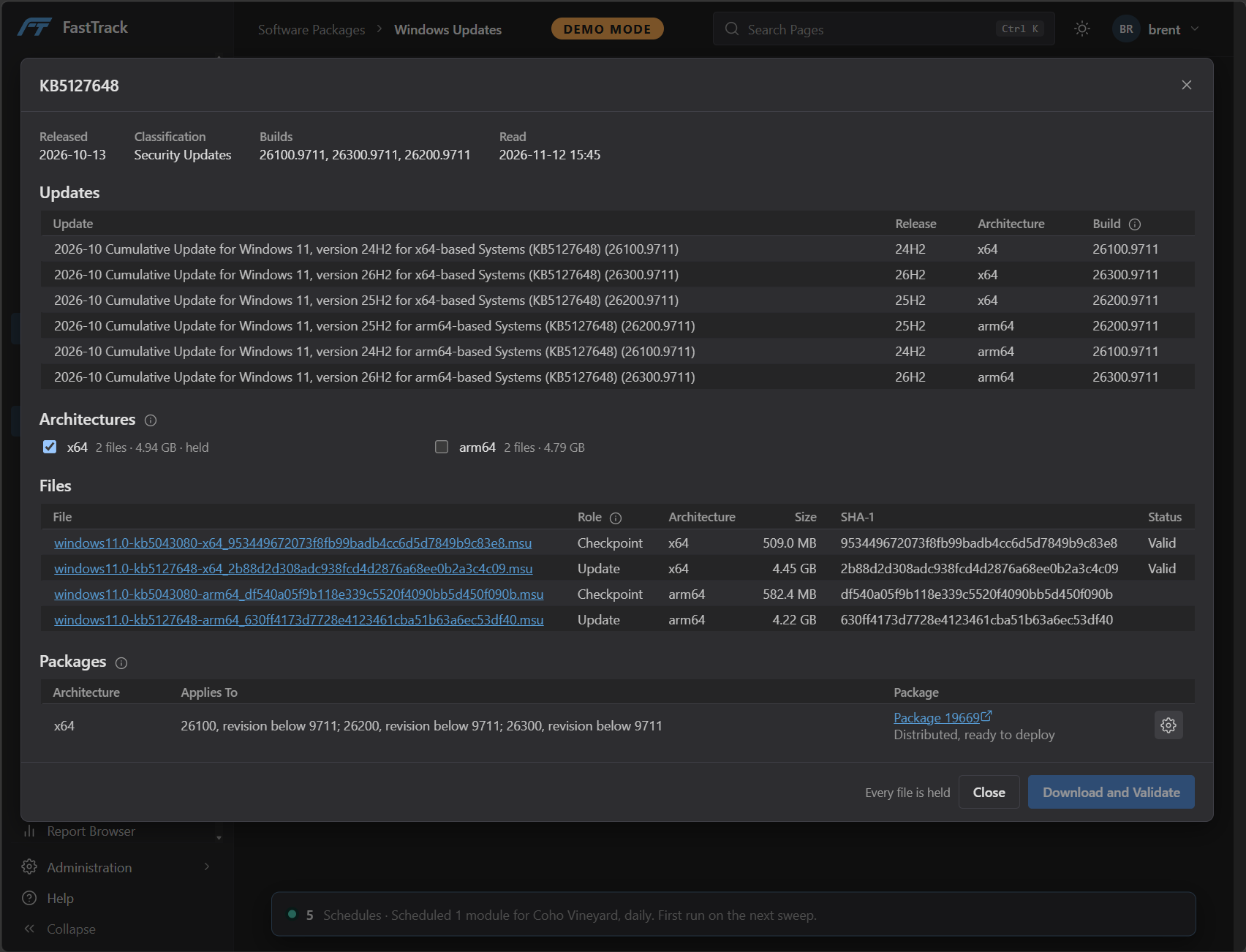
Look up a KB from the Microsoft Update Catalog and pick the architectures you need. FastTrack downloads each file, checks its hash, and builds the Deploy package scoped to the builds that need it.
- Every release and architecture the update covers, in one view
- Files held locally and verified by hash
- Applicability set by build and revision, not by hand
Workflows
Automate It. Dry Run First.
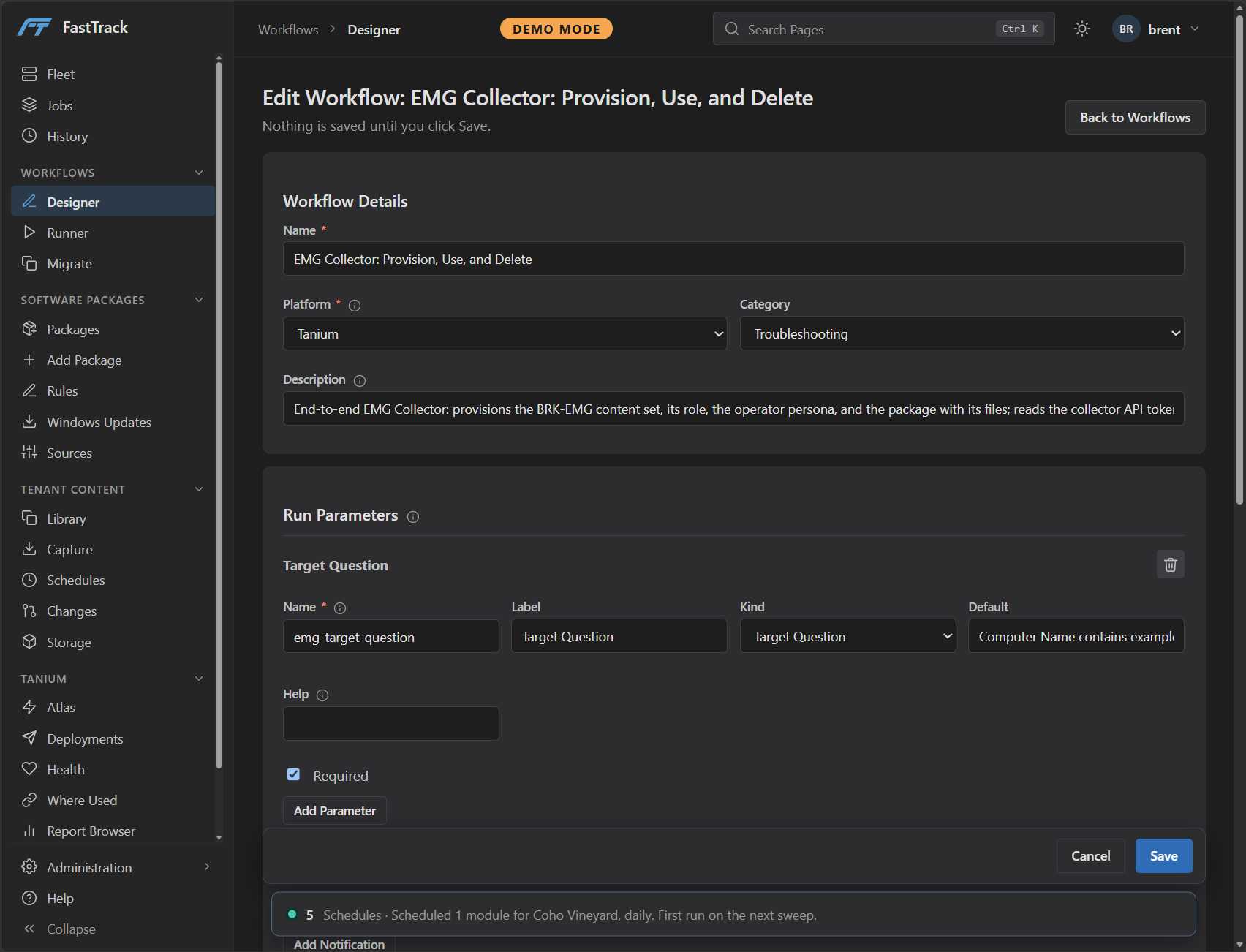
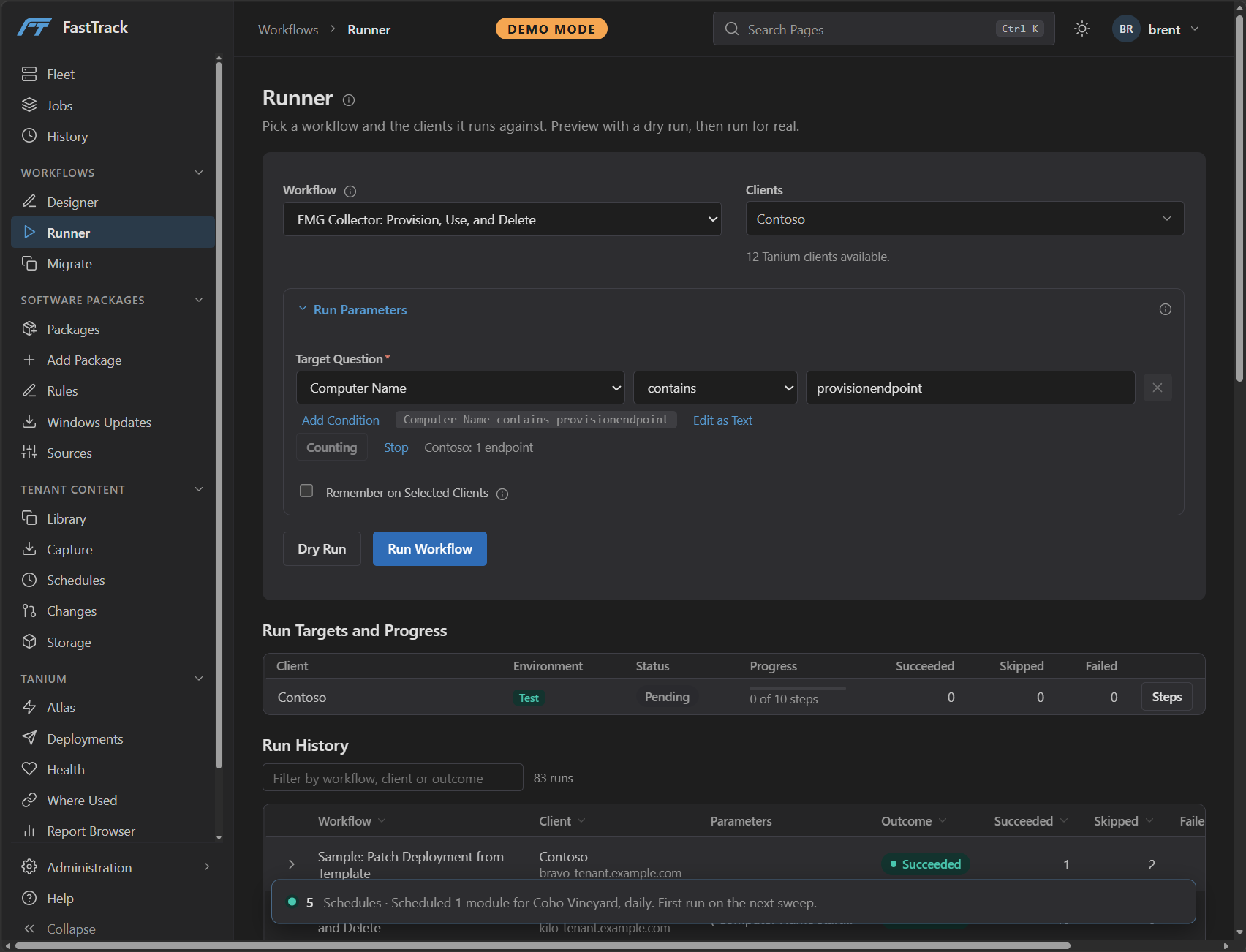
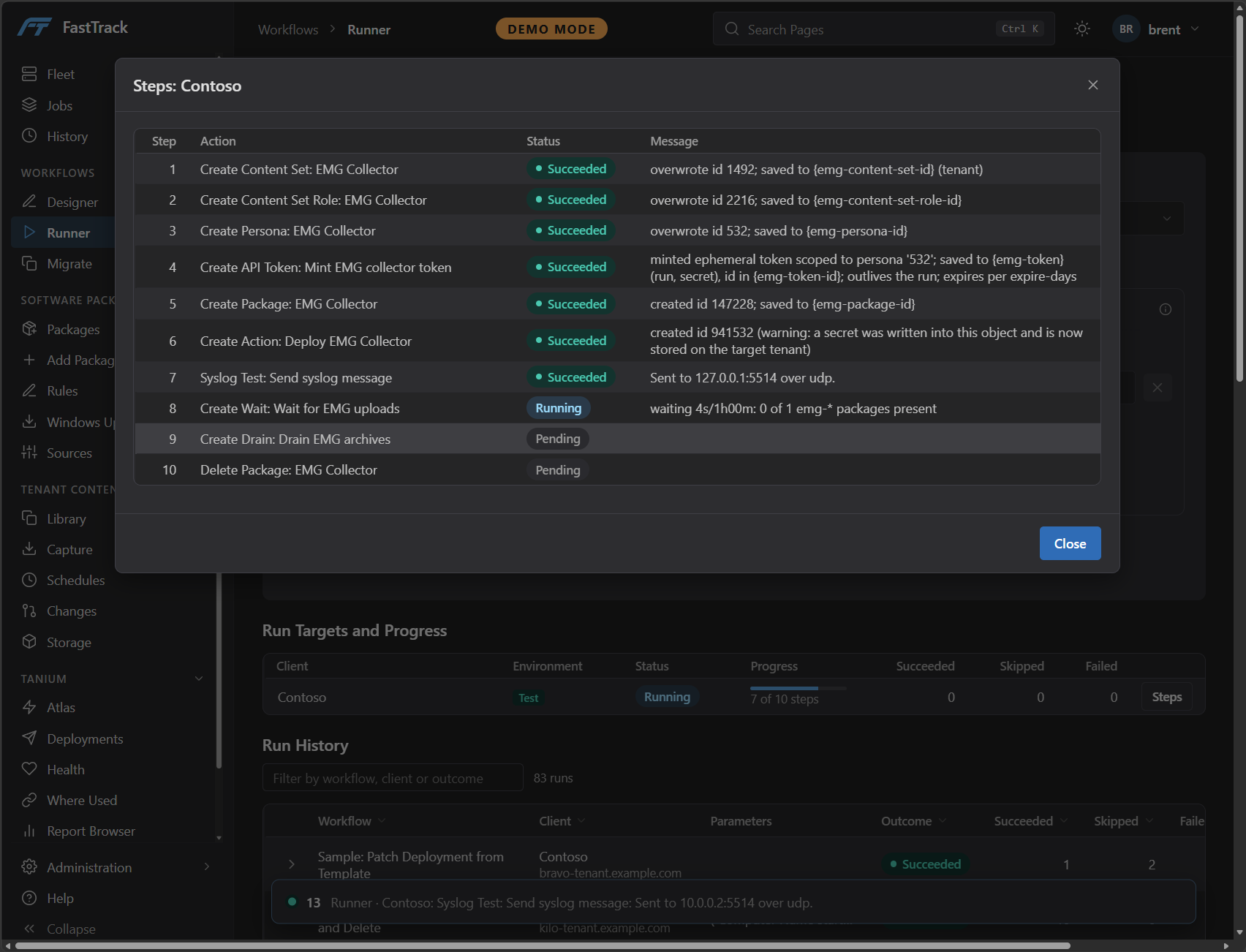
Build a workflow from ordered steps, give it run parameters such as a target question, and run it against one client or many. A dry run shows what would happen before anything changes, and every run keeps a step by step record.
1. Design the steps and the parameters a run asks for
2. Target the endpoints, counted before the run
3. Watch each step’s result as the run proceeds
History
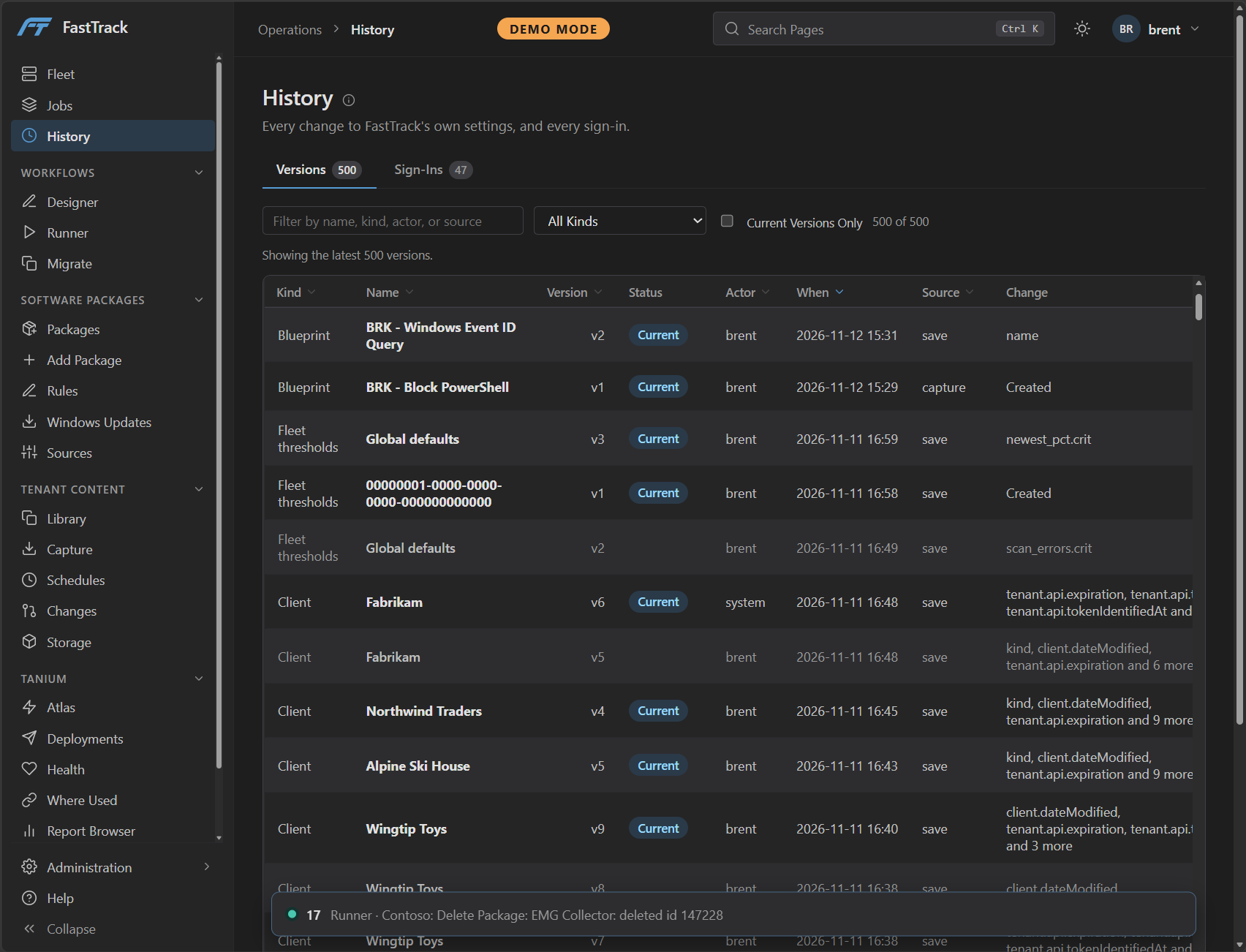
Every Change to FastTrack, Audited
FastTrack keeps a version of every change to its own settings, templates and clients: who made it, when, and what changed. Sign-ins are recorded alongside, so the tool that changes your tenants is accountable too.
Built for Teams With More Than One Tenant
Managed Service Providers
Run the same checks, content and packages for every customer, without a separate routine for each console.
Enterprises With Several Tenants
Keep production, test and regional environments consistent, and see the moment they drift apart.
Tanium Operators
Spend less time repeating console work, and more on the environment itself.
Available Soon
Be First to See FastTrack 1.0
FastTrack 1.0 is nearly ready. Hear about it the day it launches, or talk through how it would fit the environments you run.