This post is the third entry of a multi-part series that will teach users how to dynamically target endpoints for administrative activity by leveraging questions and actions issued via the Tanium API. The plan for the series is as follows:
- Starting the Conversation – Asking basic questions via the Tanium API
- Taking Action – Issuing basic Actions via the Tanium API
- Going to the Max – Writing basic automation to dynamically target an online audience with consideration for hard maximums
- Bringing it Home – A real-world example of how these capabilities can be utilized to supplement most environments in simple, effective ways
If you would like to skip directly to the technical details, click here. You can also jump right into the companion script on github if that is more your speed.
A Rock | Ops | A Hard Place
Limitations to the pace of administrative activities are simply a fact of life once an enterprise has reached a certain level of maturity. These limitations are not necessarily arbitrary as each enterprise has unique constraints. One must respect these limits as an aspiring developer of automation or you may find yourself in hot water. Tanium moves quickly by design. Automation through Tanium moves at an even greater pace. Mistakes delivered via automation move even quicker still. It is your responsibility to develop solutions with these simple truths in mind.
Unfortunately, Ops teams must perpetually seek to balance risks. Moving too quickly with a given activity may imperil the stability of the environment. Moving too slowly may invite the condemnation of your InfoSec team. To that end, deployment rings with well-defined sizes or audiences are a common compromise. Let’s explore how we can respect such compromises with TanREST while making the most of a dynamic, online audience.
Opportunistic Deployments with TanREST
Familiar Territory
Tell me if you’ve heard this one; your team has been asked to deploy a BIOS update to endpoints. You do not know for sure how many will be online in the evening. The Support team says that this activity creates high call volume and wants a maximum audience of 1 (Suspend disbelief here; we are labbing this). InfoSec wants this effort completed by the end of the week due to a vulnerability in old BIOS versions. You need to hit the maximum number of endpoints each night to get this done by the end of the week.
Unfamiliar Approach
The scenario is likely familiar for anyone in Ops. To address this problem, we need to do the following:
- Manually create deployment targeting workstation systems with outdated BIOS and a Custom Tag
- Identify the number of online workstations with an outdated BIOS
- Compare the number of online workstations with an outdated BIOS to our defined maximum of two
- Issue an action that enrolls the correct number of endpoints into the deployment and makes the most of the evening’s deployment opportunity without breaching defined maximums
All 4 of these tasks are technically possible with the API but creating a deployment with Deploy via TanREST is sufficiently complex to require its own article. For the sake of simplicity, we will assume you did that manually during the day and just want the automation to dynamically handle adding endpoints to the targeting logic in the evening.
Validate Your Targeting
We want use Tanium Interact to ensure that our targeting logic is precise before we go any further. I used the following investigative question for that purpose:
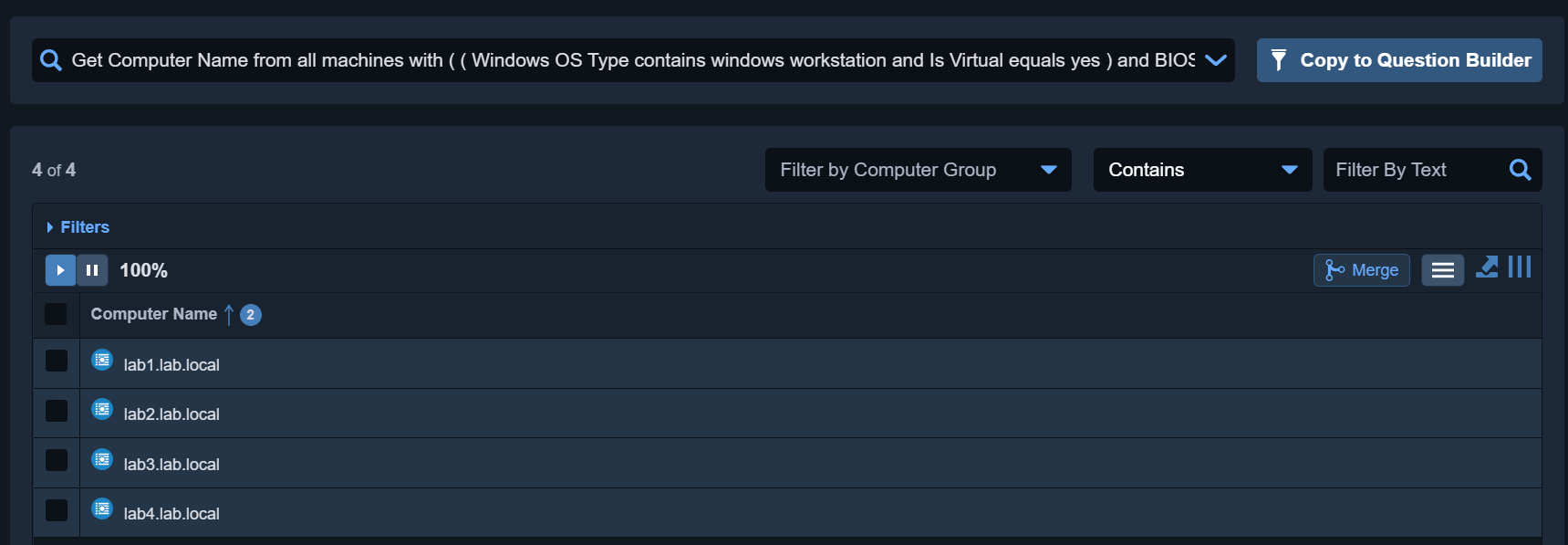

No change in an enterprise environment propagates more quickly than a mistake so I am consciously using this opportunity to validate the BIOS Versions as well as the Computer Names of the endpoints that would be captured by the filtering logic. Doing so actually helped me identify an initial problem in my targeting logic; there was an Or clause rather than an And clause which resulted in some unintended assets showing up.
The Companion Snippets
I tend to rely heavily on the PowerShell PSCustomObject when I am doing this type of work; it is a versatile data type that is easy to work with. We are establishing a PSCustomObject with the $biosObject variable and giving it some basic structural properties that we will be calling on later.
$biosObject = [PSCustomObject]@{
	question             = "Get Online from all machines with ( ( Windows OS Type contains windows workstation and Is Virtual equals yes ) and BIOS Version < 090009 )"
	parsed               = $null
	max                  = $biosMax
	id                   = $null
	results              = $null
	resultCount          = $null
	actionObject         = $null
	action               = $null
	actionResult         = $null
}
With that out of the way, we pass the $biosObject.question property to the New-TaniumCoreParseQuestion function and capture the output of that activity in $biosObject.parsed.
## Pass question property of $biosObject to parser and retain results in parsed property of $biosObject

$biosObject.parsed = New-TaniumCoreParseQuestion -Data @{text=$biosObject.question}
If the parser finds only 1 possible interpretation of the submitted question, we will have a canonical value of 1 which will satisfy our if statement. The $biosObject.parsed property that we put data into previously is now called upon and passed to the New-TaniumCoreQuestion function which formally puts the Tanium platform to the task of gathering that information.
## Submit Tanium questions upon validating that canonical value of 1

if($biosObject.parsed.from_canonical_text -eq 1) {
	Write-Output 'Gathering number of online assets meeting BIOS targeting logic...'

	$biosObject.id = @{ query_text = $biosObject.parsed[0].question_text } | New-TaniumCoreQuestion | Select-Object -ExpandProperty id
}

Write-Output "Sleeping 60 seconds to allow response to BIOS targeting question..."

Start-Sleep -Seconds 60
The results of the question have been collected at this point and the script moves on to gather those results into the $biosObject.results property by way of the Get-TaniumCoreQuestionResult function.
## Collect question results into the results property of $biosObject

$biosObject.results = Get-TaniumCoreQuestionResult -ID $biosObject.id | Format-TaniumCoreQuestionResults

$biosObject.resultCount = $biosObject.results | Where-Object {$_.Online -eq 'True'} | Select-Object -ExpandProperty Count

Write-Output "The number of online respondents to BIOS targeting logic is $($biosObject.resultCount)."
This next part is interesting. We collected the results for this section below where we determine if the number of online assets meeting our criteria breaches the $biosMax value that we set at the beginning of the script.
if ([int]$($biosObject.resultCount) -gt $biosObject.max -and $null -ne $biosObject.resultCount)
If the number of online assets exceeds our maximum allowable value for BIOS upgrades, we use some basic math to determine what percentage of the online assets must be targeted in order to maximize the night’s deployment opportunity.
## Determine the maximum percentage of online assets that can be targeted within your defined maximum

	[int]$biosSamplePercentage = ($biosObject.max / $biosObject.resultCount * 100)
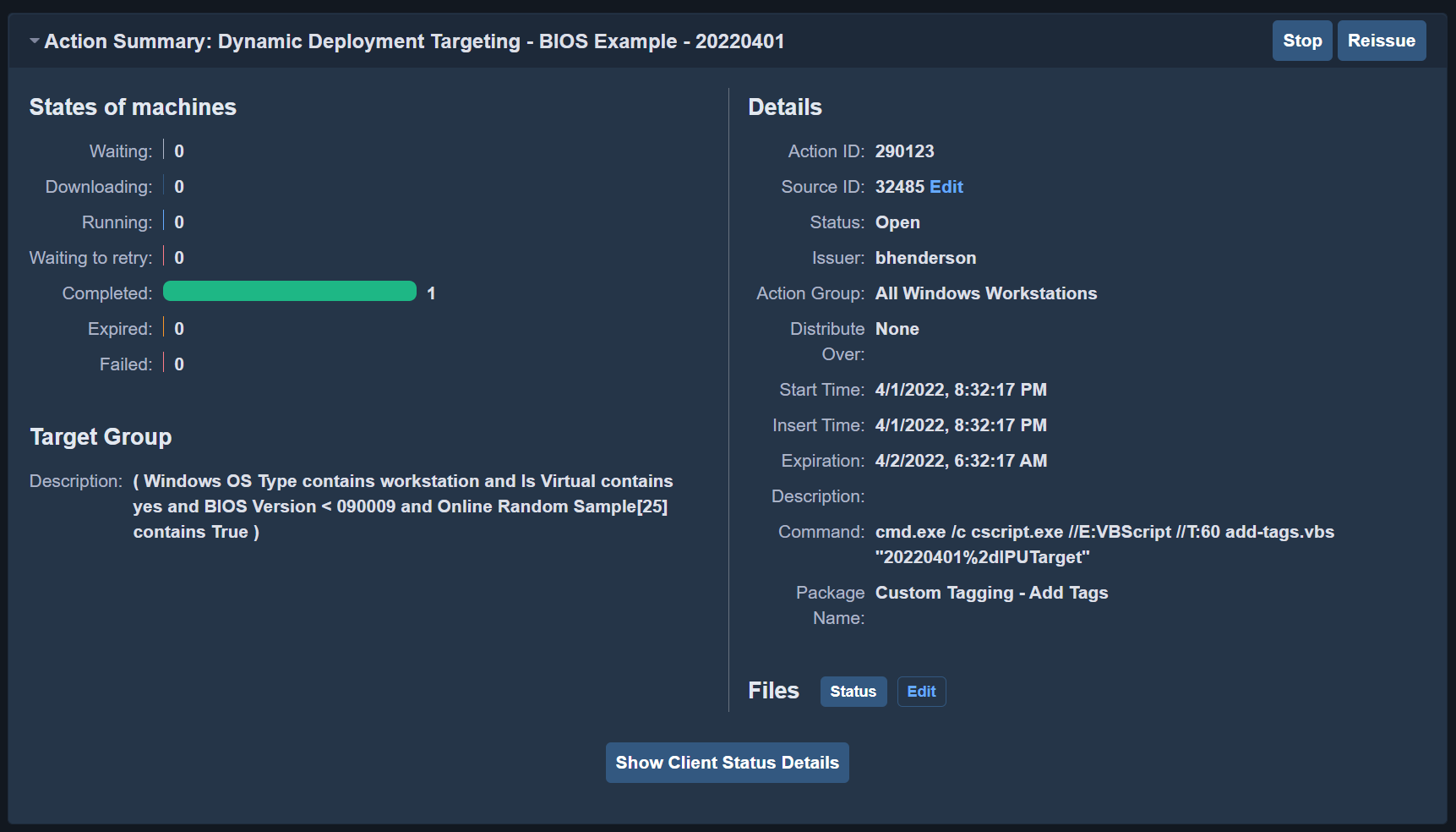
The block below uses New-TaniumActionObject to create an action object. The syntax here is highly sensitive so move carefully to modify it. The comparison operators are listed below the script block. I use the Custom Tagging – Add Tags package with a date-specific tag and deliver it to a percentage of the online assets determined by our little algebra problem from earlier. The Windows OS Type, Is Virtual, BIOS Version, and Online Random Sample sensors are used to accomplish this.
$biosObject.actionObject = New-TaniumActionObject -Name "Dynamic Deployment Targeting - BIOS Example - $($(Get-Date).ToString("yyyyMMdd"))" `
		-Package 'Custom Tagging - Add Tags' `
		-Parameters @{key='$1';value=$(-join ($(Get-Date).ToString("yyyyMMdd"),'-IPUTarget'))} `
		-Filter @(`
		@{sensor='Windows OS Type';operator='contains';value='workstation'},`
		@{sensor='Is Virtual';operator='contains';value='yes'},`
		@{sensor='BIOS Version';operator='lt';value='090009'}, `
		@{sensor='Online Random Sample';operator='contains';value='True';params=@("$biosSamplePercentage")}) `
		-ActionGroup 'All Windows Workstations' `
		-Expiration 600
Supported operators:
    contains = Return contains the supplied value
    notcontains = Return does not contain the supplied value
    startswith = Return starts with the supplied value
    notstartswith = Return does not start with the supplied value
    endswith = Return ends with the supplied value
    notendswith = Return does not end with the supplied value
    regex = Return matches the supplied regular expression
    notregex = Return does not match the supplied regular expression
    lt = Return is less than the supplied value
    notlt = Return is not less than the supplied value
    le = Return is less than or equal to the supplied value
    nle = Return is not less than or equal to the supplied value
    gt = Return is greater than the supplied value
    ngt = Return is not greater than the supplied value
    ge = Return is greater than or equal to the supplied value
    nge = Return is not greater than or equal to the supplied value
    eq = Return is equal to the supplied value
    neq = Return is not equal to the supplied value
The Action object has been established and validated at this point so it is then passed to the New-TaniumAction function and the output of that activity is passed into $biosObject.action. The script then pauses for 5 minutes and then gathers the results into the $biosObject.actionResult property.
## Pass the assembled Action object to the API to deploy the Custom Tagging - Add Tags package

	$biosObject.action = New-TaniumAction -Data $biosObject.actionObject

	## Sleep while package is deployed

	Start-Sleep -Seconds 300

	## Collect the results of the deployed Action

     $biosObject.actionResult = (Get-TaniumCoreActionResult -WebSession $Session -ID $($biosObject.action.id))
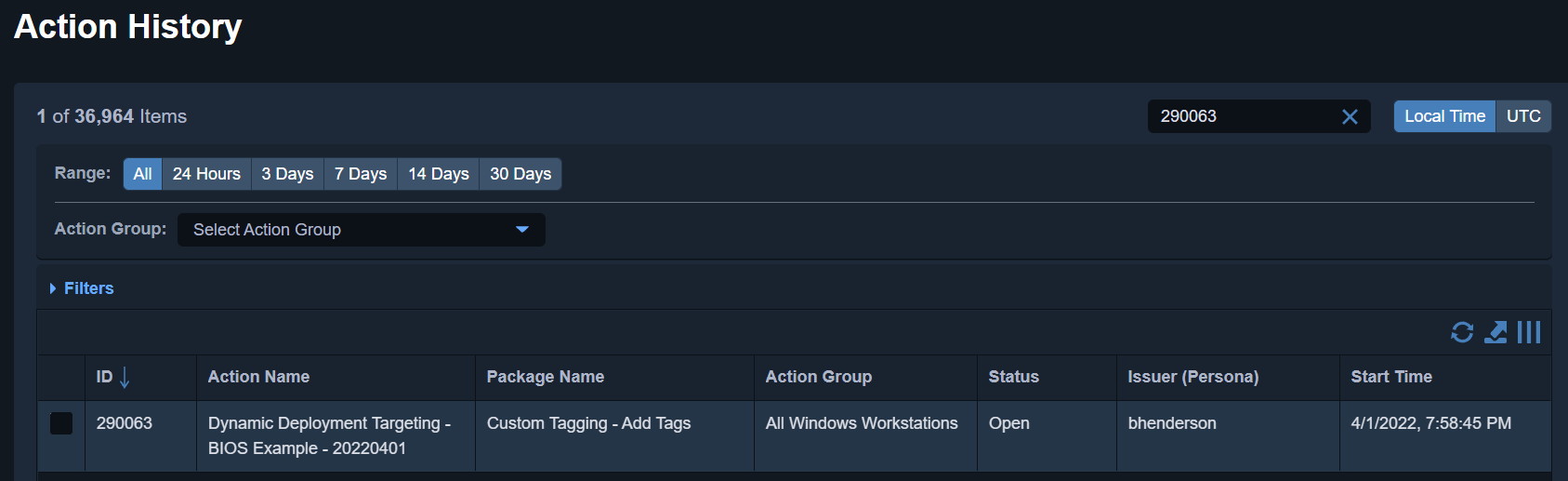
The else portion of this is identical save for the absence of the Online Random Sample sensor.

Disclaimer: Any code made available on this site is free to use at your own discretion but it is provided without any explicit or implied guarantees of support, reliability, or functionality. I accept no responsibility in the event that the code, in its original form or any derivative versions thereafter, malfunctions or causes problems . Anything from this site that you decide to work with should be tested thoroughly in development environments in collaboration with your Technical Account Manager (TAM) until such time that you, the responsible party, decides that you are satisfied with its outcomes.
2 replies on “Conversing with TanREST Part III: Going to the Max”
[…] Going to the Max – Writing basic automation to dynamically target an online audience with consideration for hard maximums […]
[…] Going to the Max – Writing basic automation to dynamically target an online audience with consideration for hard maximums […]